Modern rethinking of a cult role -playing game, recreating the atmosphere of the original at a new level. Syrodil comes to life again with updated graphics... Read more
Adam's Reshade


-
Download (449 байт)April 25, 2025, 10:32 AMreshejjd-adama_1745566372_847836.rar
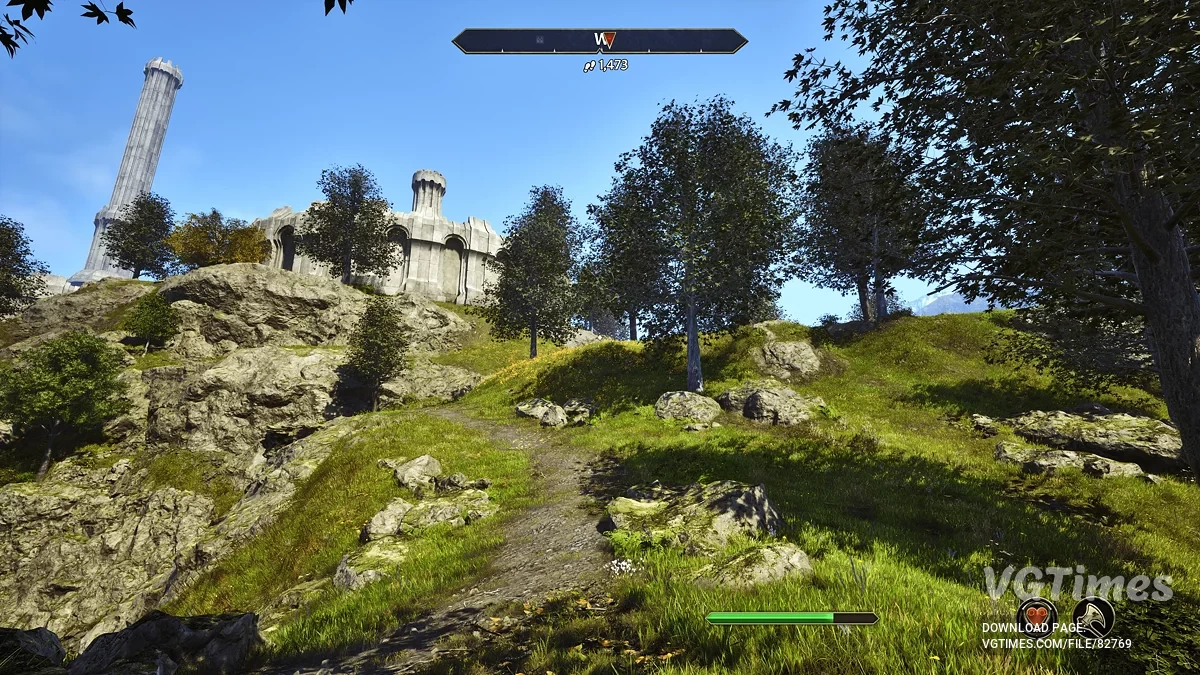
This reshade is designed to make "Oblivion" resemble what we remember it to be.
Reshade, utilizing DPX, FakeHDR, and Vibrance (found in the SweetFX library) along with Clarity 2 (found in the Gshade library), must be selected during the installation of Reshade.
How to launch:
- Install Reshade automatically by finding the exe in the list, or manually by navigating to Steam/steamapps/Common/Oblivion Remastered/binaries/Win64 and using the exe in that folder. Ensure the appropriate effects are selected;
- Insert the downloaded file into the same folder. Then, when you launch the game, open reshade and find my preset (AdamsReshade) in the dropdown menu by navigating to the same folder mentioned above.
Этот решейд создан для того, чтобы сделать "Обливио" более похожим на то, каким мы его запомнили.
Решейд, использующий DPX, FakeHDR и Vibrance (находятся в библиотеке SweetFX) и Clarity 2 (находится в библиотеке Gshade), нужно выбрать их при установке Reshade.
Как запустить:
- Установить Reshade автоматически, найдя exe в списке, или вручную, перейдя в Steam/steamapps/Common/Oblivion Remastered/binaries/Win64 и используя exe в этой папке. Убедиться, что выбраны соответствующие эффекты;
- Вставить скачанный файл в ту же папку. Затем, когда запустите игру, открыть reshade и в выпадающем меню пресетов найти мой пресет (AdamsReshade), перейдя в ту же папку, указанную выше.
Useful links:


![The Elder Scrolls 4: Oblivion Remastered — Table for Cheat Engine [UPD: 23.04.2025]](https://files.vgtimes.com/download/posts/2025-04/thumbs/tablica-dlja-cheat-engine-upd-23-04-2025_1745570375_716866.webp)


![The Elder Scrolls 4: Oblivion Remastered — Table for Cheat Engine [UPD: 23.04.2025]](https://files.vgtimes.com/download/posts/2025-04/thumbs/tablica-dlja-cheat-engine-upd-23-04-2025_1745394928_2780.webp)