A simulator of social and public life, a continuation of the popular game series The Sims. The character creator will open new facets of creativity thanks to an... Read more
Functional Photo Frames V2


-
1617444912_pbjelly_fpf.rarDownload (21.93 MB)
Photo frames can be placed on any surface or hung on the wall.
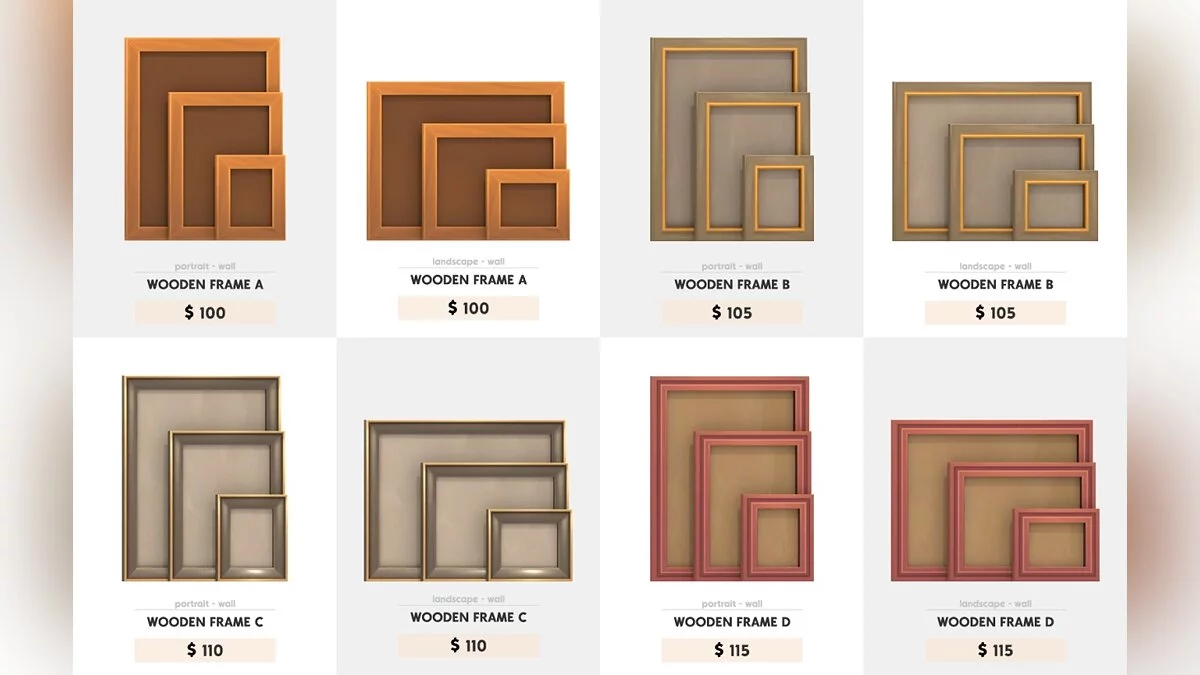
Frames of several types:
- glass
- wood
- plastic
- metal
- carved
In short, you can choose to your liking!
- And the main feature is that in one of the frames you can place a couple of pictures, and everything will look proper, while with another one you can create a whole collage in the passport!
- You can also choose the size of the frame - from the smallest to the largest.
- This mod allows you to place absolutely all frames!
- The author recommends placing frames at least at a minimal distance, but so that they do not overlap each other.
- Frames can be found in the "Interior Items" category or in the "Shelves" category, and are also available for search by the keyword: FPF
- If you plan to remove this mod, do not forget to place all photos in your character's inventory, otherwise they will be deleted along with the mod.
Conflicts with other default frames and mods that affect photos.
Фоторамки можно поставить на любую поверхность, а также повесить на стену.
Рамки нескольких типов:
- стеклянные
- деревянные
- пластиковые
- металлические
- резные
Словом, можно выбрать на любой вкус!
- И главная фишка — в одной из рамочек можно разместить парочку снимков, при чем все будет выглядеть должным образом, а с помощью другой — оформить целый коллаж в паспорту!
- Также можно выбрать размер рамки — от самой маленькой, до большой.
- Из данного мода можно ставить абсолютно все рамки!
- Автор рекомендует ставить рамки хотя бы на минимальном расстоянии, но чтобы они не перекрывали друг друга.
- Рамки можно отыскать в категории "Предметы интерьера" или в категории "Полки", а также доступны для поиска по ключевому слову: FPF
- Если вы собираетесь удалить этот мод, то не забудьте поместить все фотографии в инвентарь вашего персонажа, иначе они будут удалены вместе с модом.
Конфликтует с другими дефолтными рамками и модами, влияющими на фото.
Useful links: