
A re-release of the legendary fixed-camera action horror game Resident Evil 3: Nemesis. Get ready to dive back into the chaos of a dying Raccoon City as Jill... Read more
Increased Vibrancy
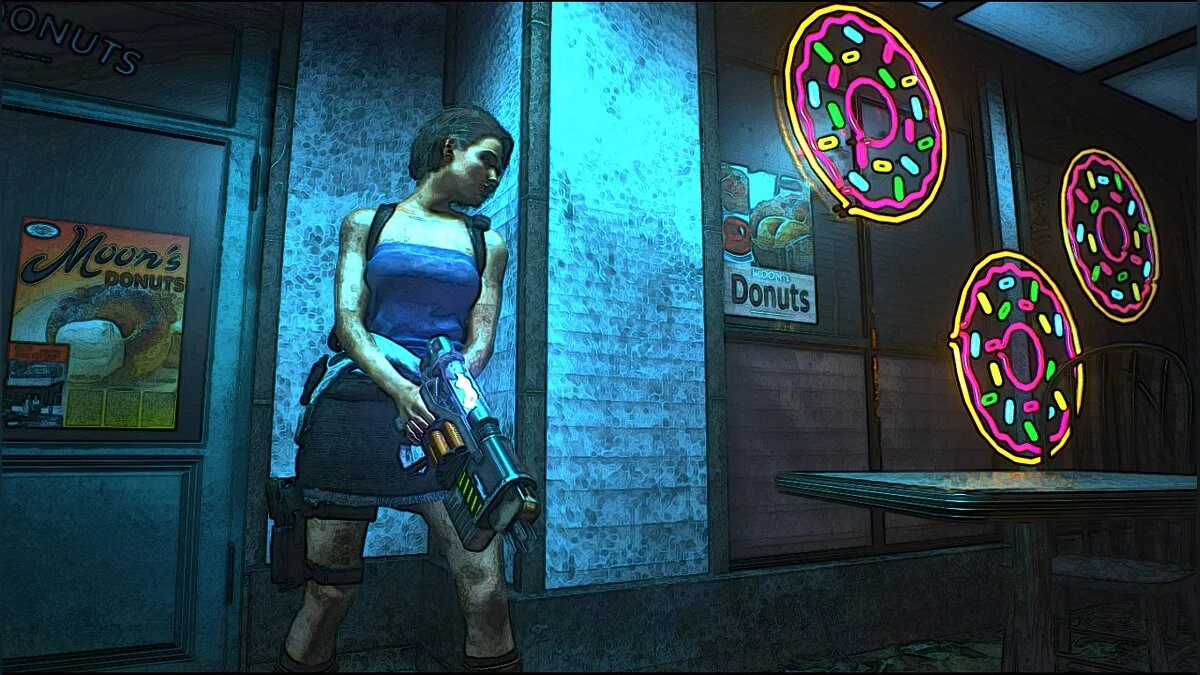
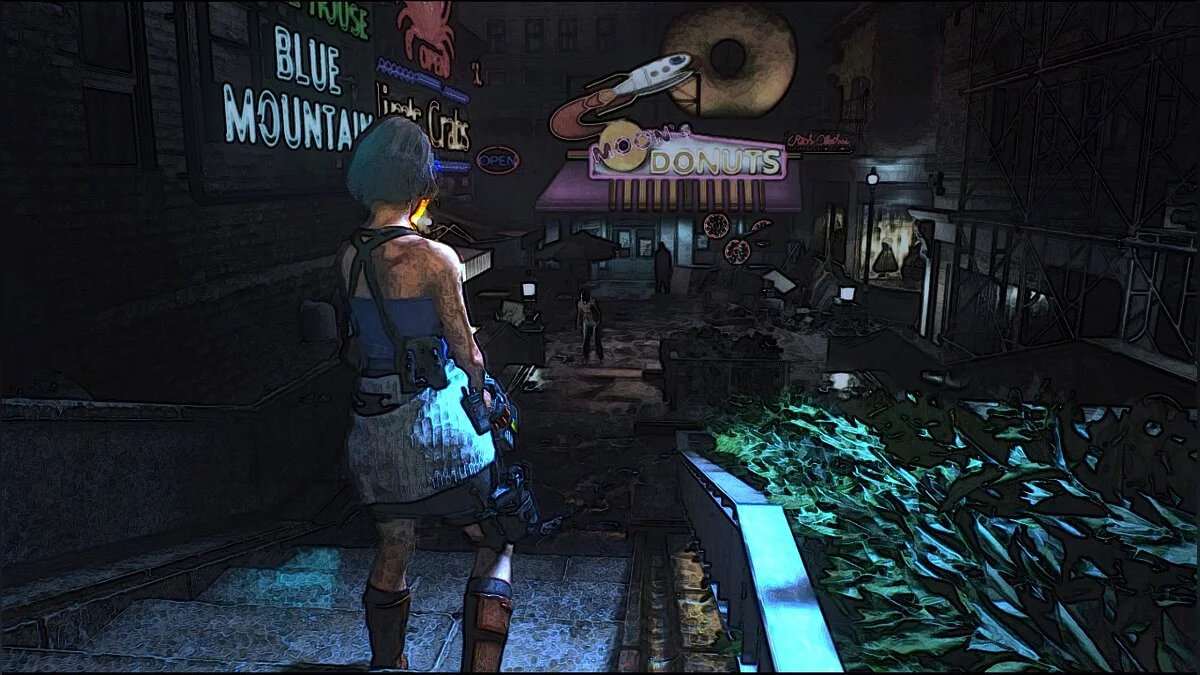


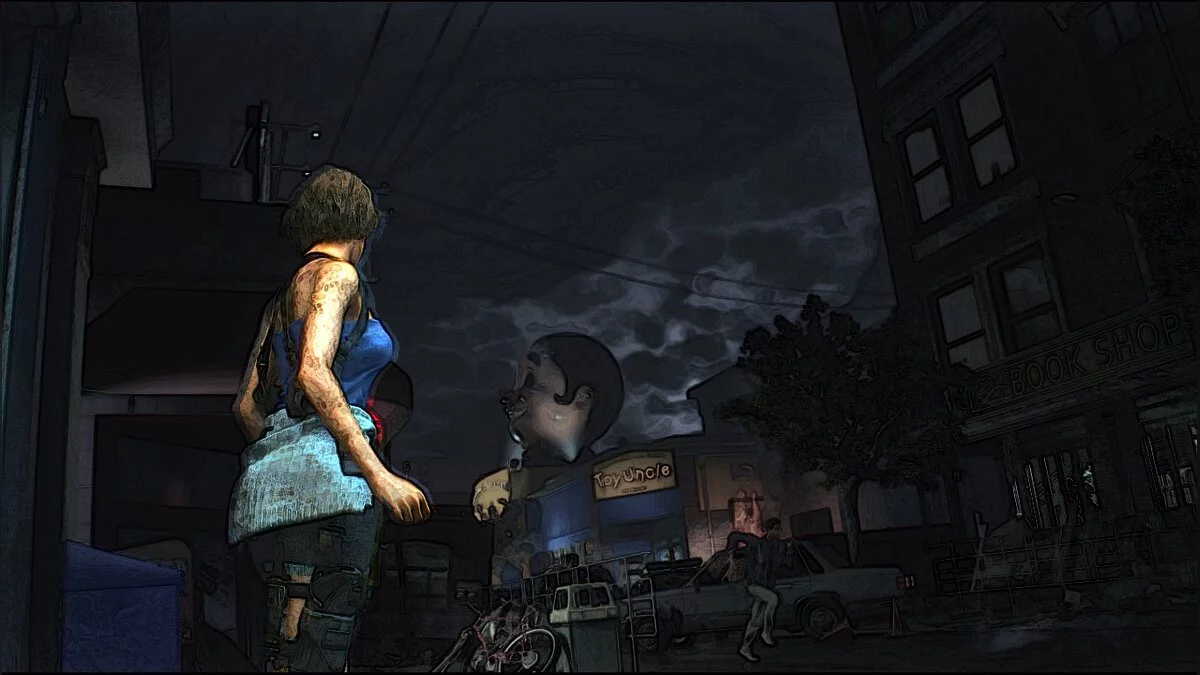


-
1586252710_moons-donut-cellshade-78-1-0-1586165171.zipDownload (3.05 kB)
Moon's Donut CellShade.
Reshade preset aimed at making the game appear more vivid and stylized.
Installation:
You will need to download and install Reshade if you haven't done so already. Then simply place the INI file in the RE3 game folder (in the same directory as RE3.exe).
Moon's Donut CellShade.
Предустановка Reshade, нацеленная на то, чтобы игра выглядела более яркой, и стилизованной.
Установка:
Вам нужно будет скачать и установить Reshade, если вы этого еще не сделали. Затем просто поместите INI-файл в папку с игрой RE3 (в той же папке, где находится RE3.exe).
Related files:
Useful links:
![Resident Evil 3 — Cheat Engine Table [DEMO - UPDATED: 21.03.2020]](https://files.vgtimes.com/download/posts/2020-03/thumbs/1584984856_1584984797_628.webp)
![Resident Evil 3 — Cheat Engine Table [UPD: 27.09.2024]](https://files.vgtimes.com/download/posts/2024-09/thumbs/tablica-dlja-cheat-engine-upd-27-09-2024_1727519992_521049.webp)
![Resident Evil 3 — Cheat Engine Table [UPD: 04.18.2020]](https://files.vgtimes.com/download/posts/2020-04/thumbs/1587300303__6owzm9uvunxtm0jc6mqhg.webp)
![Resident Evil 3 — Trainer (+10) from 06.05.2020 [WeMod]](https://files.vgtimes.com/download/posts/2020-06/thumbs/1591352881_2020-06-05_132651.webp)
![Resident Evil 3 — Trainer (+12/+15/+16/+18/+20) [1.0 - UPD: 30.09.2020]](https://files.vgtimes.com/download/posts/2020-10/thumbs/1601975064_kh2r5vf0yaruowthqm7oia.png.webp)
![Resident Evil 3 — Cheat Engine Table [UPD: 04.06.2020]](https://files.vgtimes.com/download/posts/2020-04/thumbs/1586212708_pkhae9qwjyxd8zqi9zsn1w.webp)
![Resident Evil 3 — Trainer (+12) [DEMO]](https://files.vgtimes.com/download/posts/2020-03/thumbs/1584792959_uyfjhreitafwngz7ixugfg.webp)
![Resident Evil 3 — Cheat Engine Table [UPD: 22.11.2020]](https://files.vgtimes.com/download/posts/2022-11/thumbs/1669193380_713bb9bbd0214d5ea9387ce35ab8b845.webp)
![Resident Evil 3 — Trainer (+9) [DEMO]](https://files.vgtimes.com/download/posts/2020-03/thumbs/1584828692_ww4pz6-se2n5phzdgq92ia.webp)