
A role-playing action game in a pseudo-open world set in deep space, with a focus on detailed, immersive quests that offer high replayability on every playthrough... Read more
Players:
Steam:
Metacritic:
Files for Starfield / Other files / Page 6
Download the best and newest files from the 'Other Files' category. Find files for Starfield and much more.
This category offers a wide selection of files that can enhance your experience with Starfield. You can rate and comment on files, helping other users find the best options.
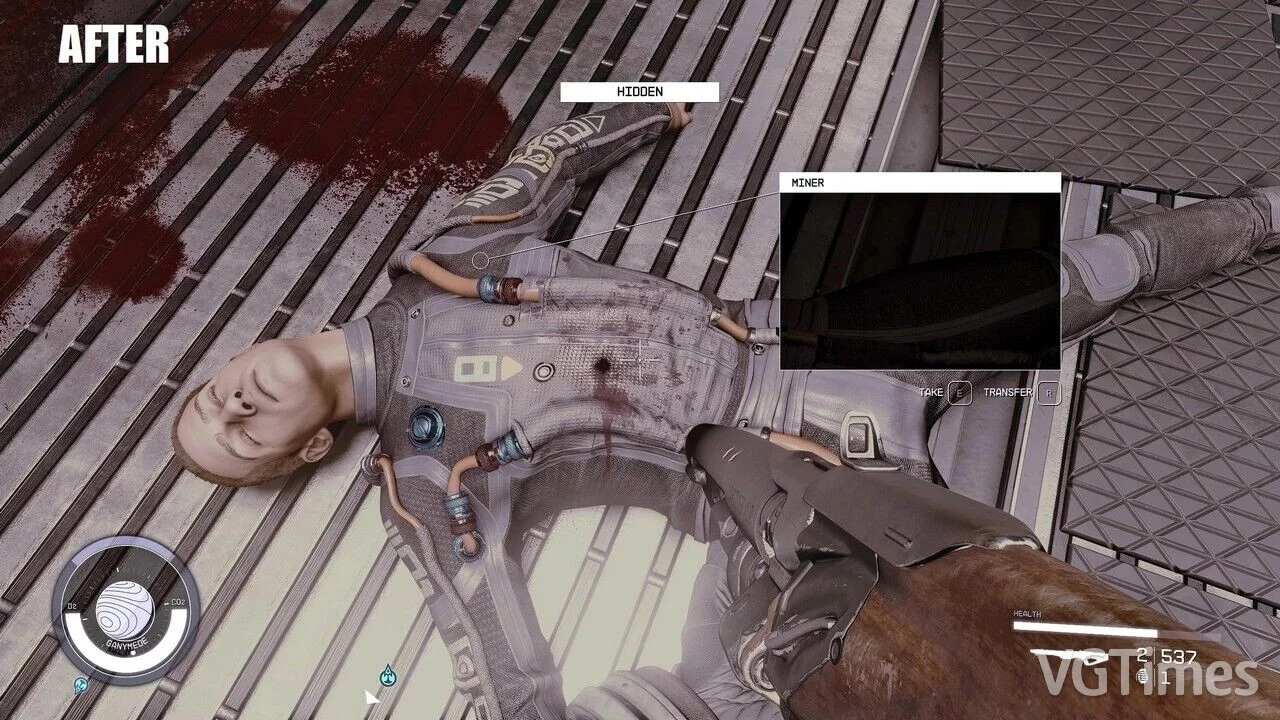
Bullet Holes in Bodies

Download
This mod introduces bullet wounds for perfect executions. How to install: extract to this path Documents/My Games/Starfield.
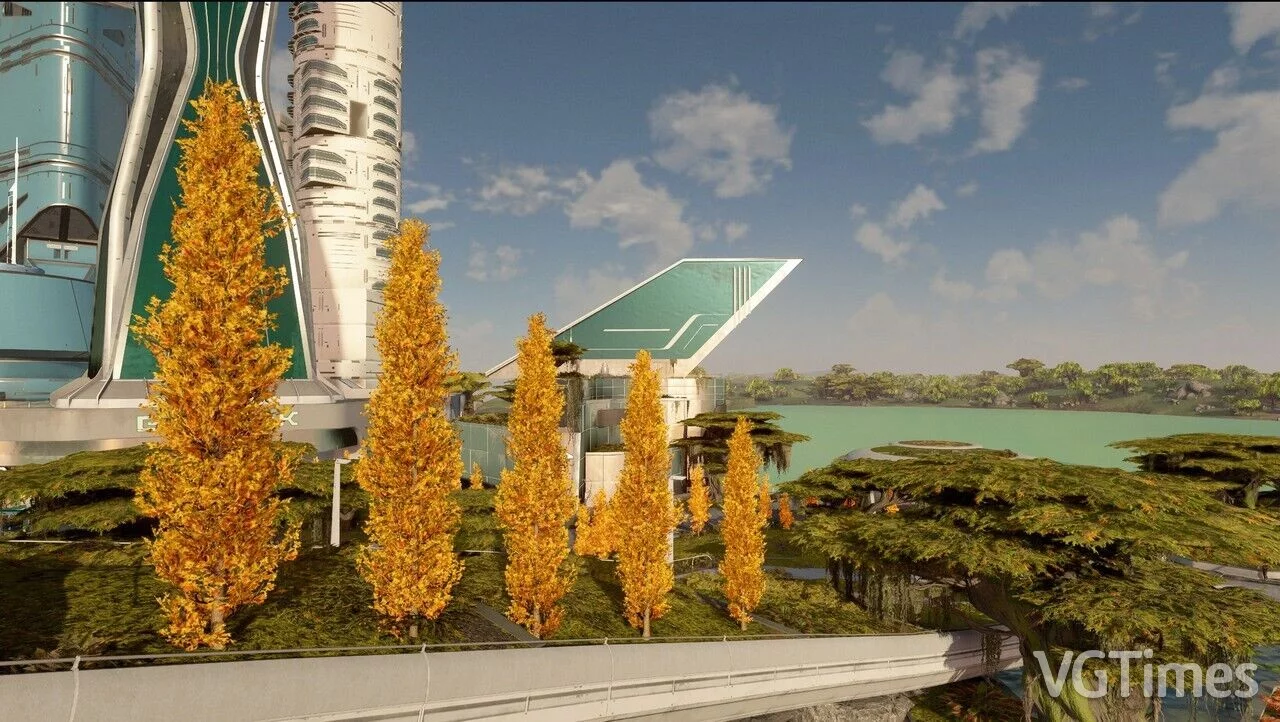
Additional Yellow Trees
Download
It diversifies the rather monotonous green appearance with yellow and yellowing trees. Comes with new LOD trees. How to install: unpack to this path Documents/My Games/Starfield.
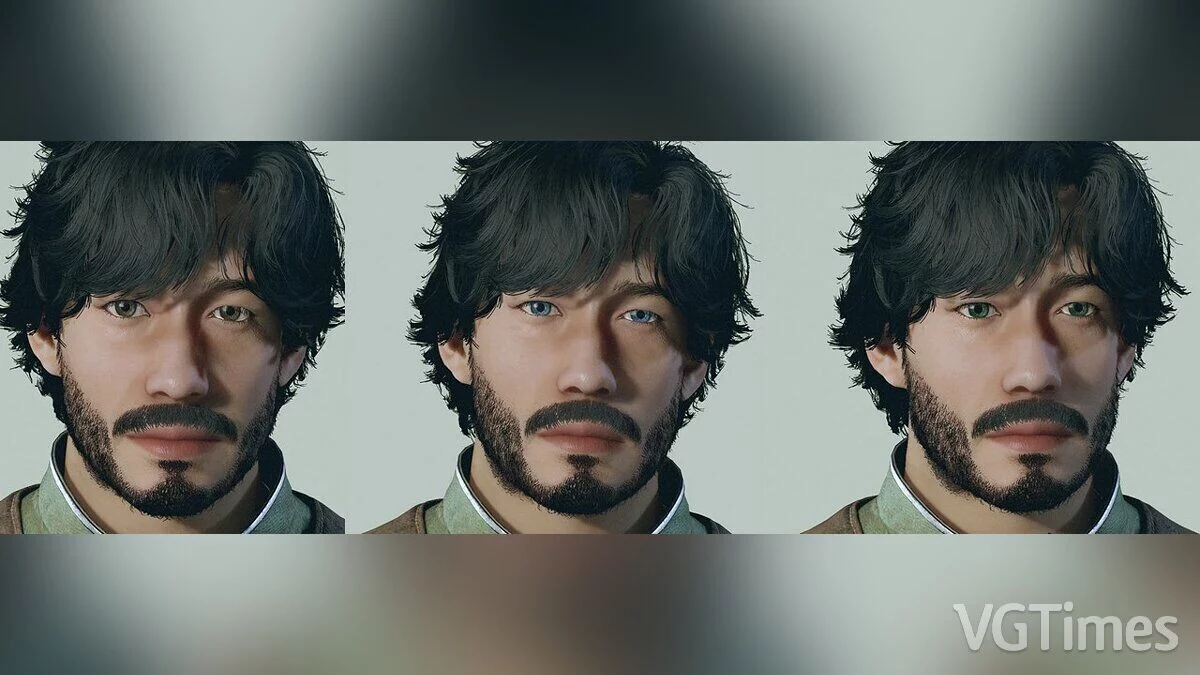
HD Eye Textures
Download
Collection of high-resolution eye textures. How to install: extract to this path Documents/My Games/Starfield.
Fast and Clean Main Menu

Download
The main menu runs at 60 frames per second; The Bethesda intro video has been replaced with a dummy file, skipping this part; After the Bethesda intro, health information text is absent; Instant transition to the main menu... as fast as it c ...
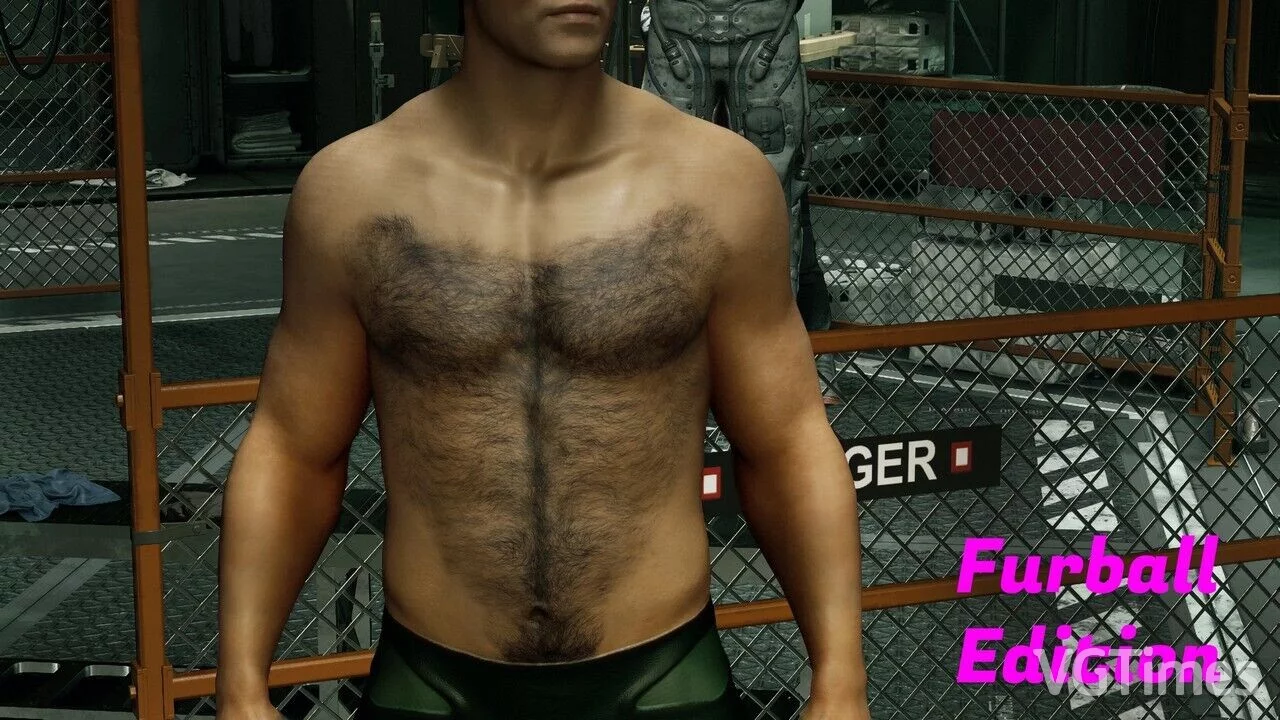
Hairy Chest for Men
Download
Hairy body for men featuring new textures for nipples and belly button, with slightly enhanced skin details. Texture maps have been upgraded to 4K to preserve detail. There is a regular and a furry edition.
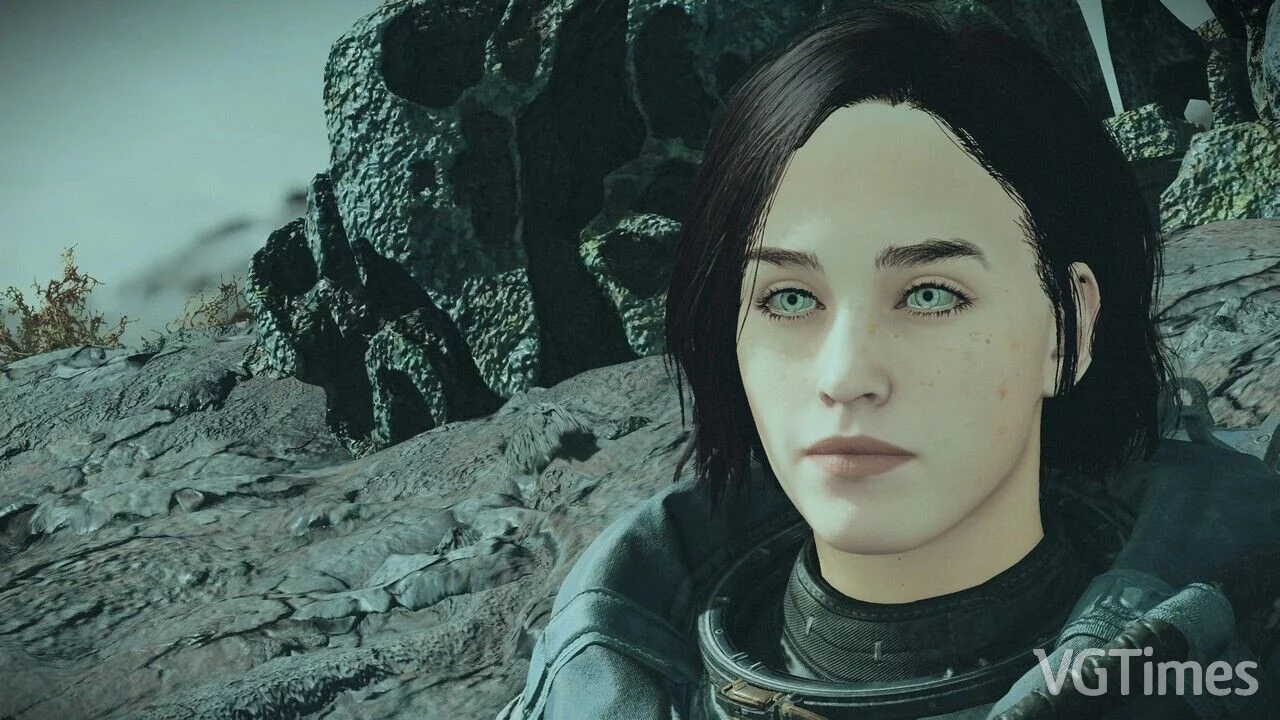
Alternative Textures
Download
This is a small mod that replaces the eye textures with alternatives. How to install: unpack to this path Documents/My Games/Starfield.
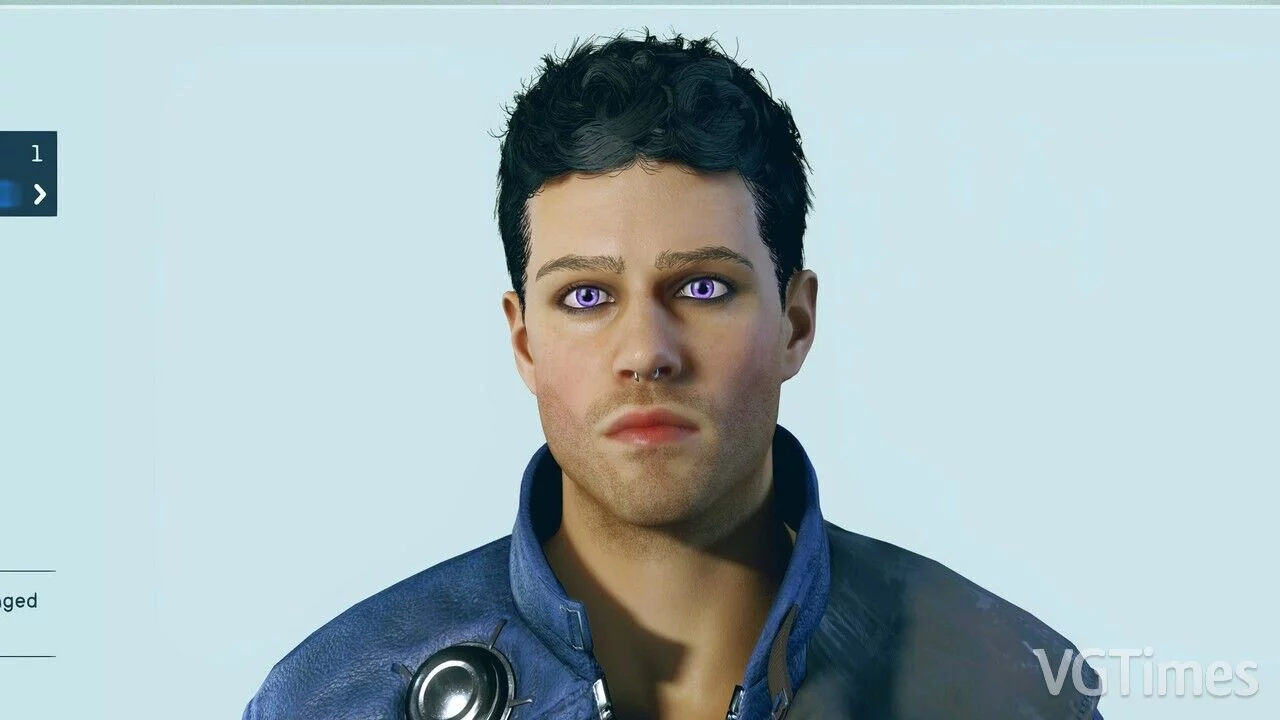
Purple Eyes
Download
A replacement that adds a purple eye color. Replaces style 9. How to launch: extract to this path Documents/My Games/Starfield.
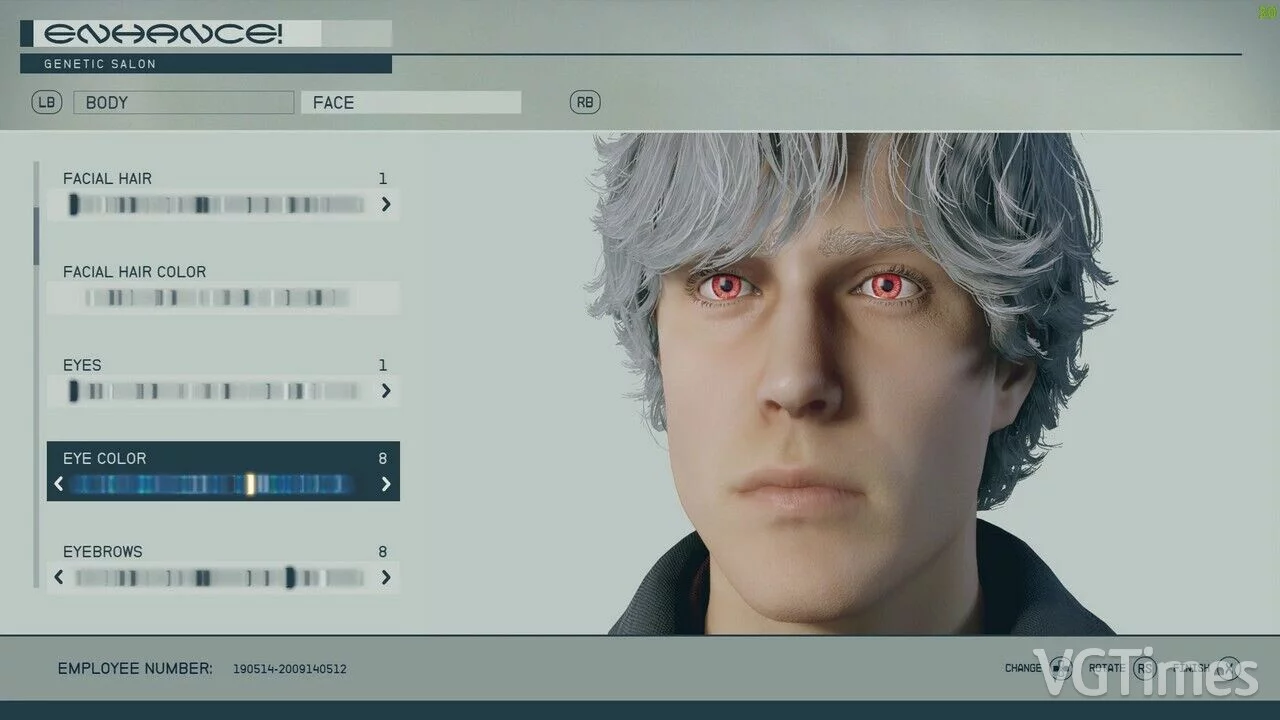
Red Eyes (Style 8 Replacement)
Download
Replaces the "Red Devil" eyes (Style 8) with red eyes. How to install: extract to this path Documents/My Games/Starfield.
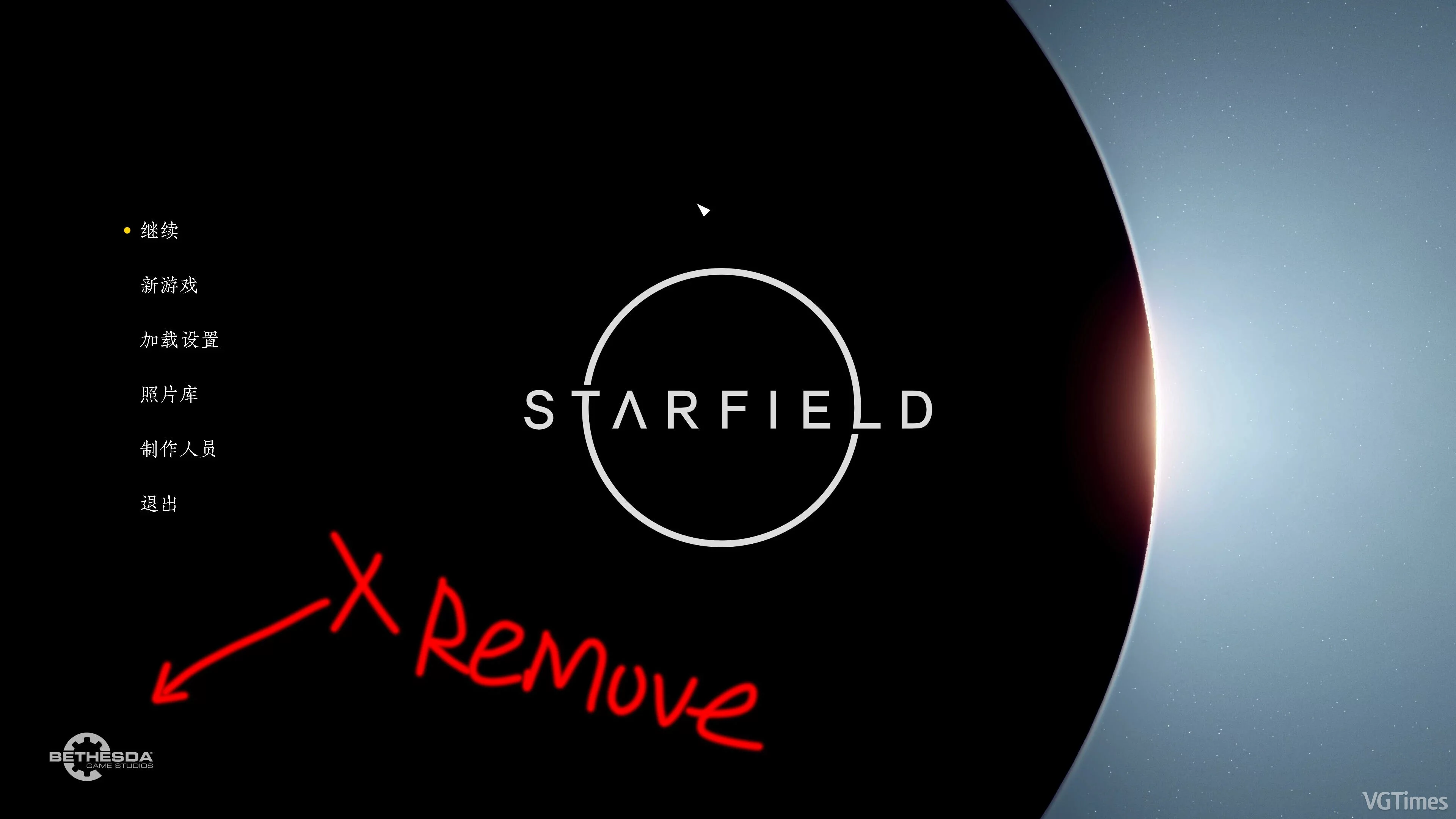
Remove Bethesda Logo from Menu
Download
Removes the Bethesda logo from the menu. How to install: 1. go to My Games/Starfield/StarfieldCustom.ini and modify: [Archive] bInvalidateOlderFiles=1 sResourceDataDirsFinal= 2. extract the downloaded archive into the Data folder.
Game on Laptop
Download
INI file that makes the game more accessible for laptop users. Your resolution will change to 1280x720 while maintaining fullscreen functionality. How to launch: unpack to this path Documents/My Games/Starfield.
Skip Intro Video
Download
Instantly skips the Bethesda video seen at game launch. How to run: extract to this path C:/Program Files (x86)/Steam/steamapps/common/Starfield.
Disabling Intro
Download
A simple mod that disables the intro videos.