Modern rethinking of a cult role -playing game, recreating the atmosphere of the original at a new level. Syrodil comes to life again with updated graphics... Read more
Ultra Plus - optimization fix


-
Download (11.83 kB)April 24, 2025, 12:30 PMultra-pljus-ispravlenie-optimizacii_1745487015_694986.zip
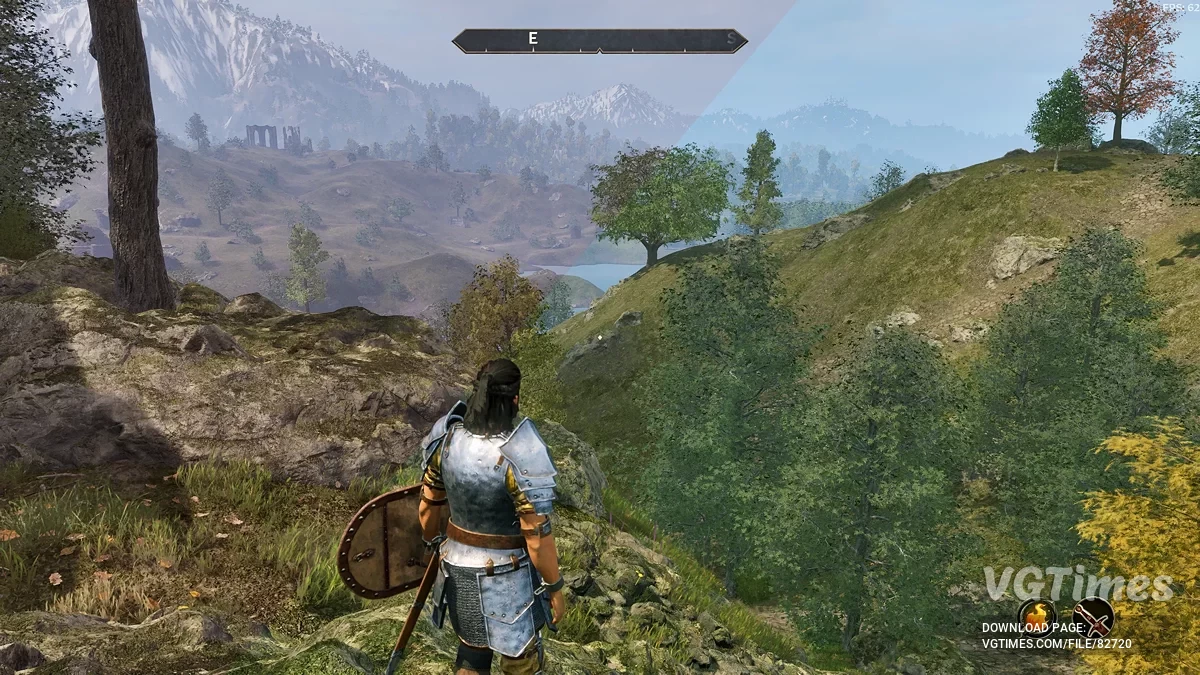
Ultra+ is a series of mods designed for all PCs, fixing bugs and performance, with the best possible visuals.
Ultra+ mods take complete control of Unreal, from streaming, textures, NPC quality, cut scenes, even game settings menus, with the goal of fixing bugs, and making sure the game works on everything from potato to the highest-end PCs. This is a work in progress. Ultra+ mods are significant work, with significant testing, to provide the level of polish game studios often don't. We are always listening to feedback and want to know your experiences, good or bad.
- Enable Ray Reconstruction;
- Fixes a compatibility issue with DLSS 4 causing fog artifacts;
- Provides control over various game an;d graphics related options via keybinds, UMM, or configuration file;
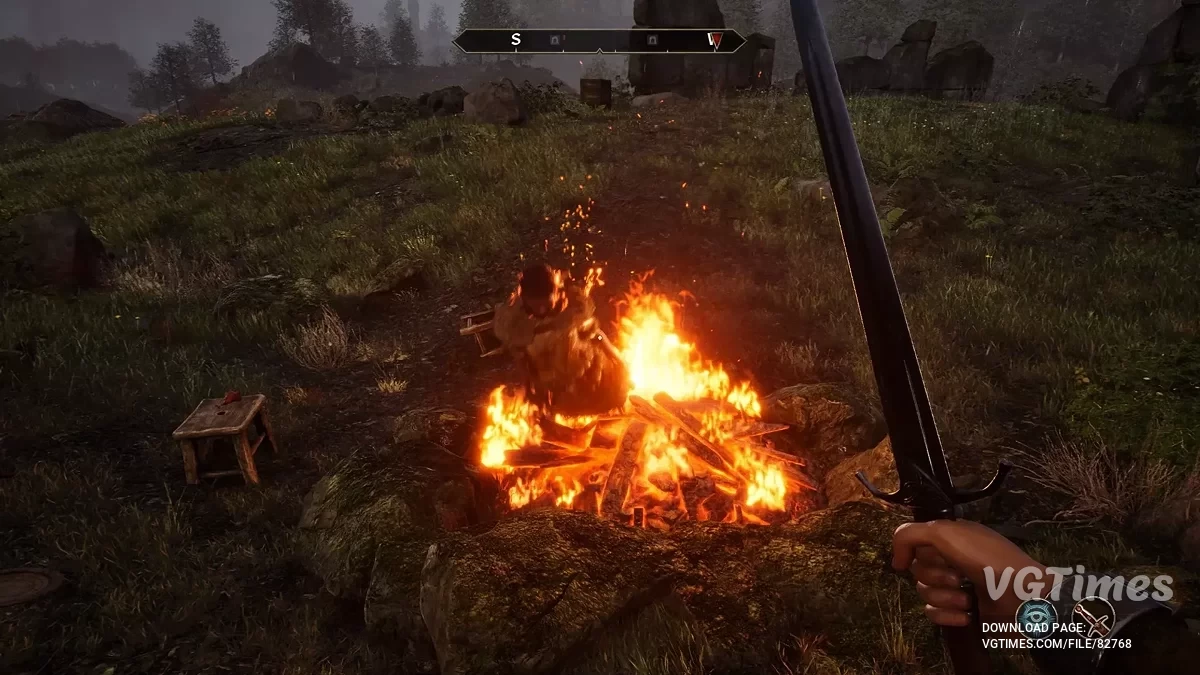
- Improved fog quality;
- Fix fog ghosting;
- Fix fog artifacting against the sky;
- Include fog in Lumen tracing for GI and reflections;
- Increase lighting quality in general via modifying the games PostProcessVolumes;
- Add several lighting quality levels allowing maximum theoretical lighting quality;
- Improved reflection quality;
- Fix screenspace reflection issue when Hardware Lumen is enabled;
- Engine performance tuning including addressing stutters;
- Allows using DLSS 4 Presets J/K by forcing DLSS preset to be in auto mode;
- Replaces NIS sharpening with UE native sharpening and provides setting in U+ mod settings.
Performance Information
- Increasing lighting quality will cost FPS;
- Ray Reconstruction costs 10-15 FPS;
- Lighting quality performance and standard look good — use them if you want to maintain higher FPS or need more frames.
Manual Installation:
- Drag everything in the main zip to your root Oblivion Remastered\ folder
- Configure the mod settings via UltraPlusConfig.ini
Configuration
All available Ultra+ settings are below, they are the defaults shipped with the mod. All lighting quality levels are enhanced by default, standard will perform well and look good. Expect a significant FPS decrease when using lighting qualities epic or higher
Nomenclature — A value of 'game' means that a setting is game controlled. This is only valid on startup. Lumen is the lighting system that the game uses, it is always the default. Standard is our definition of a baseline setting. Default means we are explicitly setting something to the games default value.
; This configuration file loads on game startup
; In-game keybinds are disabled by default, set EnableKeybinds=on below to enable them on game start — or it can be turned on in game
; Press F12 to load the current configuration file while in-game — you can now edit the configuration file and load the changes while in-game
; If a setting does not specify a keybind, then it can only be changed via the configuration file
; The 'game' option for settings below tells Ultra Plus to leave the setting at game default
; CTRL+F12 will reset the configuration file to default values — you may need to restart game for "game" controlled settings to load game values
; CTRL + F3
; off/percent_20/percent_40/percent_60/percent_80/percent_100; changes intensity of bloom
Bloom=percent_100
; game/off/on;
ChromaticAberration=game
; game/off/on; allows disabling the color grading that applies a fantasy color map to the game, turn off if you want try a more realistic feel
ColorGrading=game
; off/on; fixes fog on DLSS4
DLSSAutoExposure=on
; F2
; game/none/temporal/rayreconstruction;
Denoiser=game
; game/off/on; allows turning off depth of field which can cause a lot of noise in cutscenes/dialogue — note that enabling RR already turns depth of field off
DepthOfField=game
; off/on; off disables all keybinds except for F12 which loads the current configuration file in game — can be toggled on in-game by setting to on in config and pressing F12
EnableKeybinds=off
; game/off/on/on_with_lumen; allows disabling the color grading that applies a fantasy color map to the game, turn off if you want try a more realistic feel
Fog=on_with_lumen
; F6
; lighting_mode_controlled/x64/x48/x32/x24/x16/x8; allow users the ability to downsample the lighting more than the mod allows by default, it will be applied after other lighting settings — this is one of the settings that impacts performance the most — by default U+ runs at x24 in standard mode
LightingDownsampleFactorOverride=lighting_mode_controlled
; F8
; standard; standard for default enhanced lighting — no other options available at this time
LightingMode=standard
; CTRL + F10
; game/low/standard/high/epic/insane/insane_highres/noframes; low for more FPS if you are really struggling with FPS, standard for default settings, high for higher VRAM usage and slight performance hit, epic for higher VRAM usage and performance hit, insane is maximum gather quality at standard resolution, insane_highres is maximum gather quality at higher resolution, noframes is the maximum possible lighting quality and probably only feasible for photos
LightingQuality=standard
; F4
; game/off/low/medium/high/reallyhigh/alltheblur;
Motionblur=game
; game/default/high/epic/insane/evenhigher; increases the view distance scale so that more can be seen from further away, effects foliage most noticeably
RayTracingRadius=game
; F9
; game/off/low/medium/high; controls smoothness of reflective surfaces — some bias is preferred for visual quality
ReflectionBias=game
; CTRL + F2
; default/two/three; allows increasing the number of reflections bounces
ReflectionBounces=default
; game/none/percent_10/percent_20/percent_30/percent_40/percent_50/percent_60/percent_70/percent_80/percent_90/percent_100;
Sharpness=percent_20
; CTRL + F7
; default/less_50/less_25/more_25/more_50/more_75/more_100; changes intensity of the skylight — note that to see this setting change you will need to turn camera 360
SkylightIntensity=default
; game/one/two/three/four; increases the view distance scale so that more can be seen from further away, effects foliage most noticeably
ViewDistanceScale=game
; F3
; game/off/on
Vignette=game

Useful links:
![The Elder Scrolls 4: Oblivion Remastered — Trainer (+32) [1.0]](https://files.vgtimes.com/download/posts/2025-04/thumbs/trejjner-32-1-0_1745569747_535647.webp)

![The Elder Scrolls 4: Oblivion Remastered — Table for Cheat Engine [UPD: 23.04.2025]](https://files.vgtimes.com/download/posts/2025-04/thumbs/tablica-dlja-cheat-engine-upd-23-04-2025_1745395047_195996.webp)